Design
Device appearance controls
The official game text names seven controls for how a device looks: screen size, cameras, corners, buttons, colour, finish, and logo. You pick the parts, set the price yourself, and hand the device to your team. This page keeps those controls, the handoff, and the three design-related pass prices from the 2026-10-26 catalog read.
By the Build a Phone Empire Guide Editorial Team · Updated 2026-10-26
The seven controls the creator names
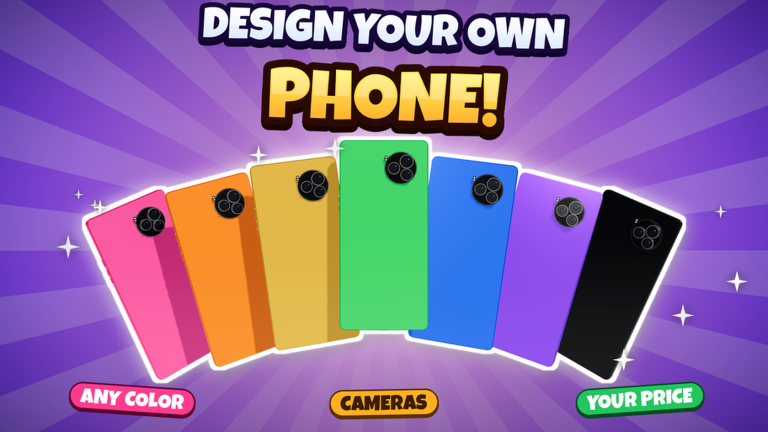
The device studio image on this page is an official Roblox image. It shows a phone model beside a control panel, which matches the design step in the game text. The text itself lists the controls in one sentence, without ranges. Screen size options, camera counts, corner radii, button layouts, colour swatches, finish names, and logo slots are therefore unknown unless a catalog pass names them.
Premium Finishes is the pass that names colours. At 35 Robux it lists 6 exclusive colours: Matte Black, Rose Gold, Midnight Green, Sunset Fade, Carbon, and Pearl. The free colour list is not published. Logo and Wallpapers, at 25 Robux, says you choose the back logo and the screen wallpaper. How many logos or wallpapers that includes is unknown.
| Control | Named by the creator | Published range |
|---|---|---|
| Screen size | Yes | Unknown |
| Cameras | Yes | Unknown |
| Corners | Yes | Unknown |
| Buttons | Yes | Unknown |
| Colour | Yes | 6 named colours sit on the 35 Robux pass |
| Finish | Yes | Unknown outside that colour list |
| Logo | Yes | Back logo is named on the 25 Robux pass |
Set the price, then hand it over
The official text puts the price decision on the player: pick the parts, set the price, and hand the device to the team. It does not publish a recommended price, a minimum price, or a penalty for pricing too high. Those numbers stay unknown. After the handoff, the launch page is where critic reviews and live sales are named.
Extra Design Slot costs 99 Robux on the 2026-10-26 catalog read. The catalog text says you build two devices at the same time. It does not say the second device is free of part costs. A second design-related pass, Company Branding Bundle, costs 55 Robux and its catalog text is empty, so whether it changes logos, colours, or something else is unknown. Complete Bundle costs 449 Robux and its catalog text is also empty, so this page does not claim it includes the design passes.
- 1. Choose screen size, cameras, corners, buttons, colour, finish, and logo.
- 2. Set the device price yourself. No default price is published.
- 3. Hand the finished device to the team.
- 4. Optional catalog help checked on 2026-10-26: 99 Robux for a second build slot, 35 Robux for 6 colours, 25 Robux for logo and wallpaper.